
3. Payout
3.1 Payout History
Steps: Trader > Payout History > Download.
You can download all the withdrawal requests here, click on Download to download all the payout history.
In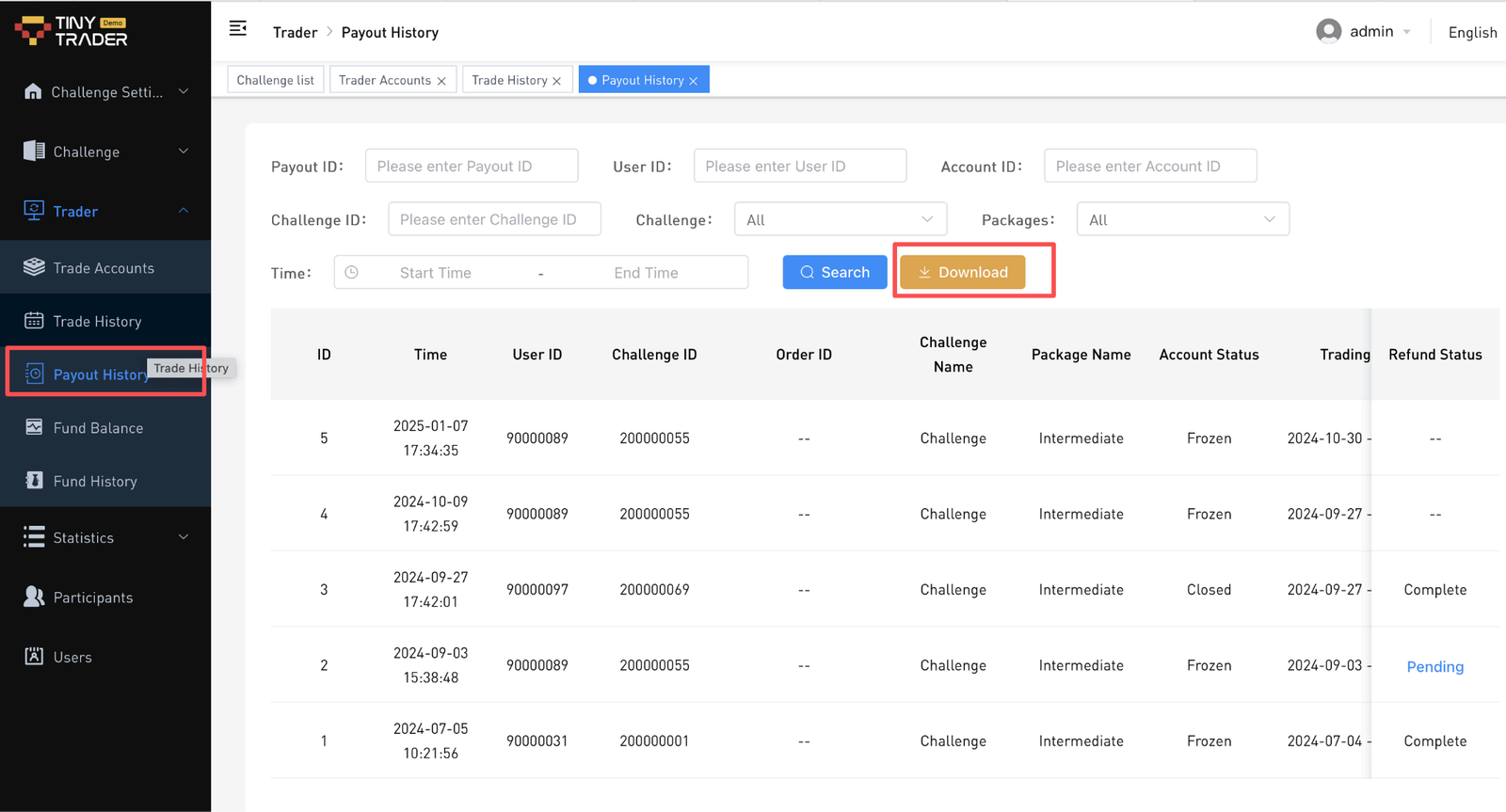
3.2 Fund Balance
Steps: Trader > Fund Balance > Withdraw.
To check all the available funds to withdraw from users.
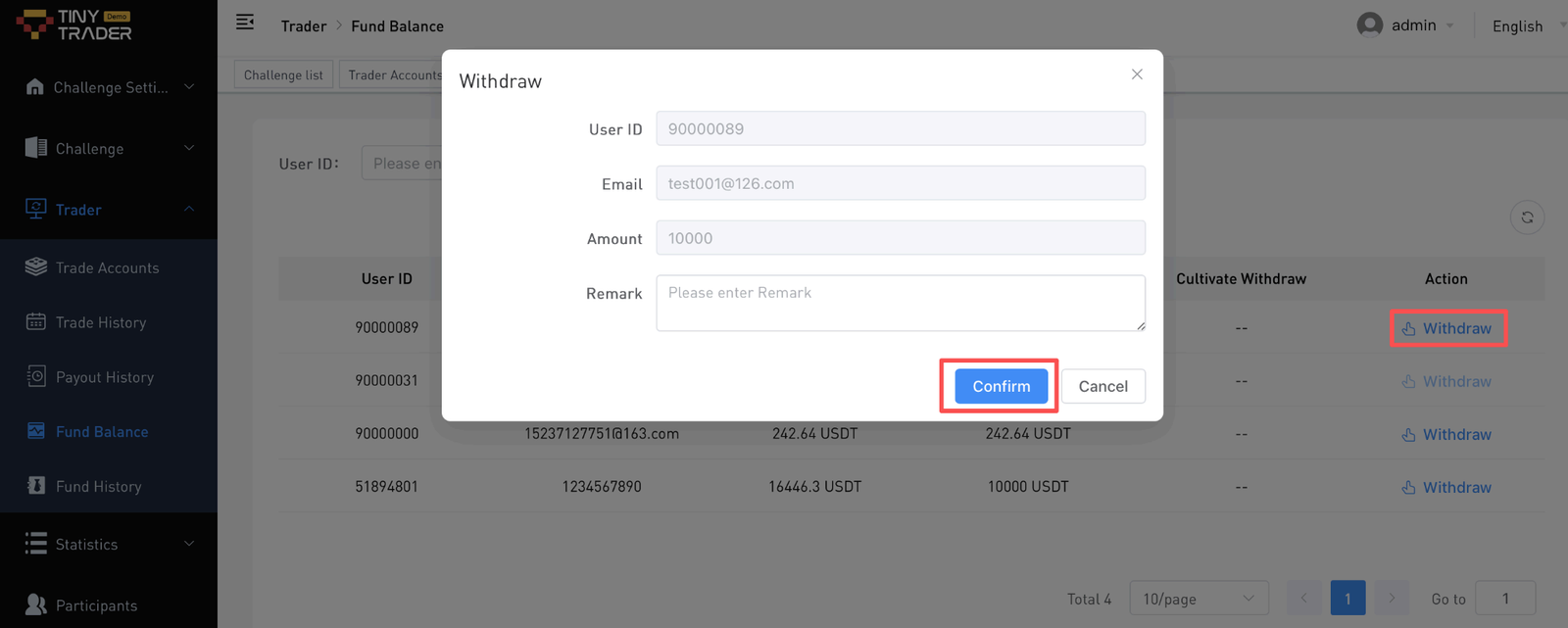
Click on the Withdraw button, and write the remarks here if needed.
3.3 Withdraw History (Optimized)
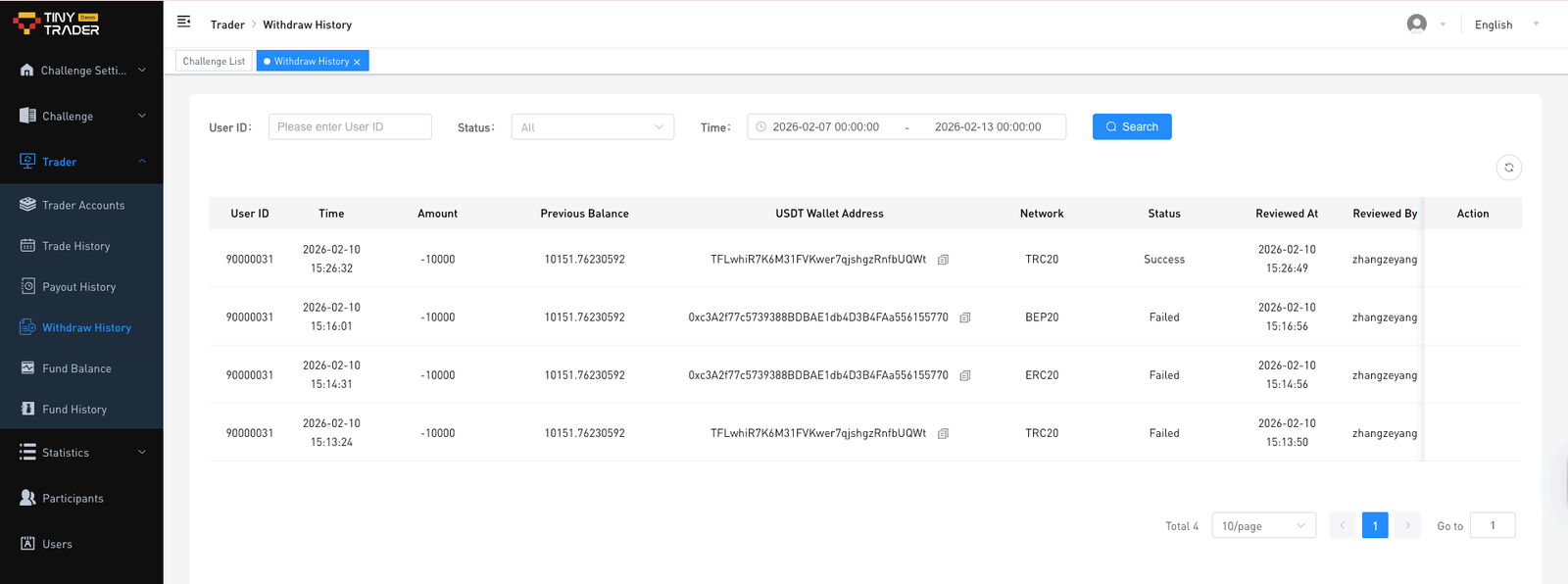
- Click on Withdraw History to review withdrawal.
Notes:
- After a withdrawal is initiated, the user balance will be frozen;
- After a successful withdrawal, the frozen balance will be deducted;
- After a failed withdrawal, the frozen balance will be refunded;
- Click on Review , and select the review status and review comments if required.
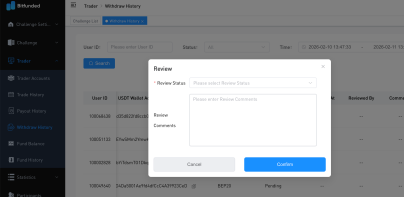
Notes:
- After approval, the frozen balance will be deducted;
- After rejection, the frozen balance will be refunded;
- Approval information will be retained for records;
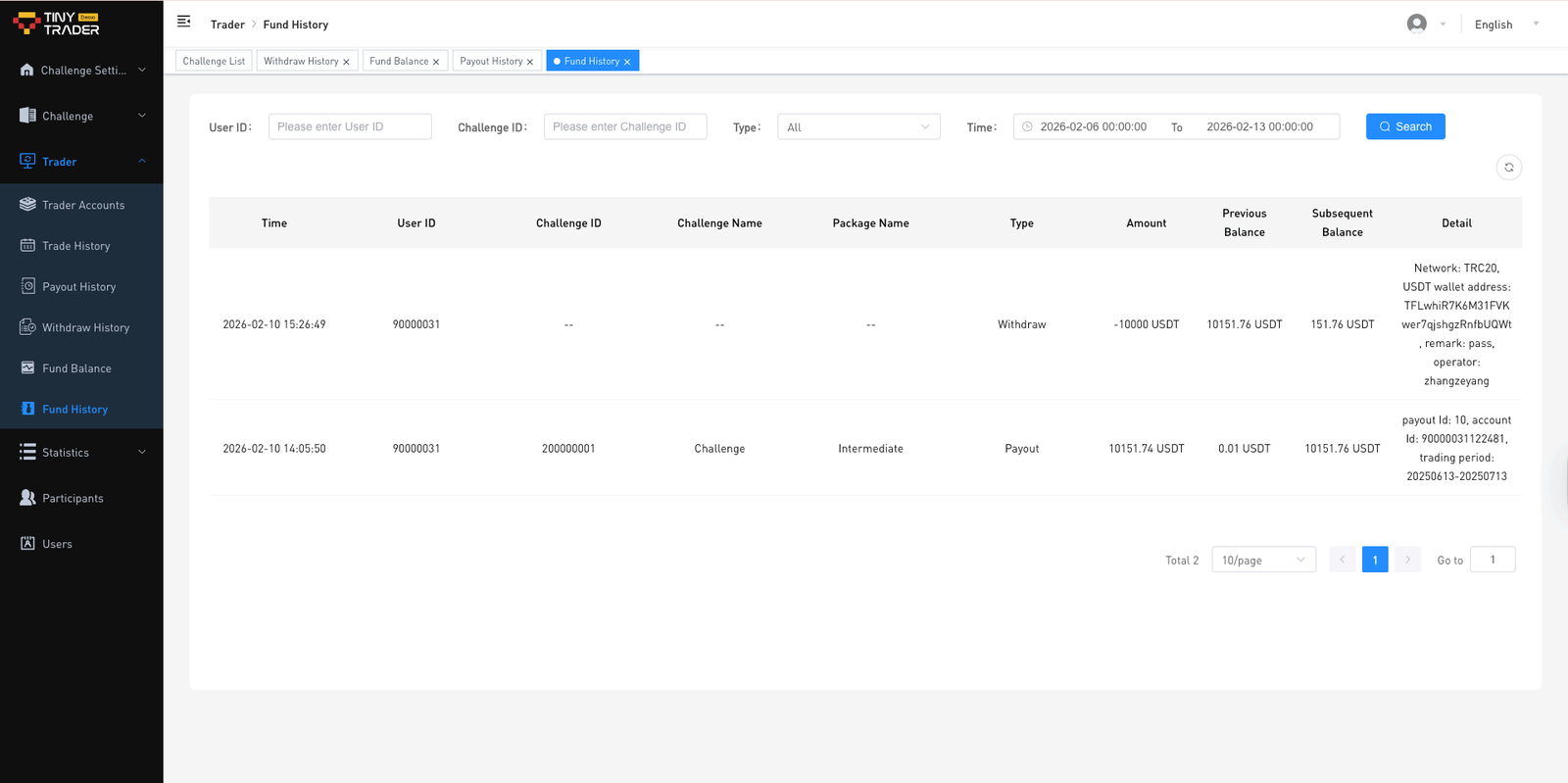
3.3 Fund History (Optimized)
You can check the withdrawal review status here.