

3. Completed Orders
a. Order History > Completed Perpetual Order From Users.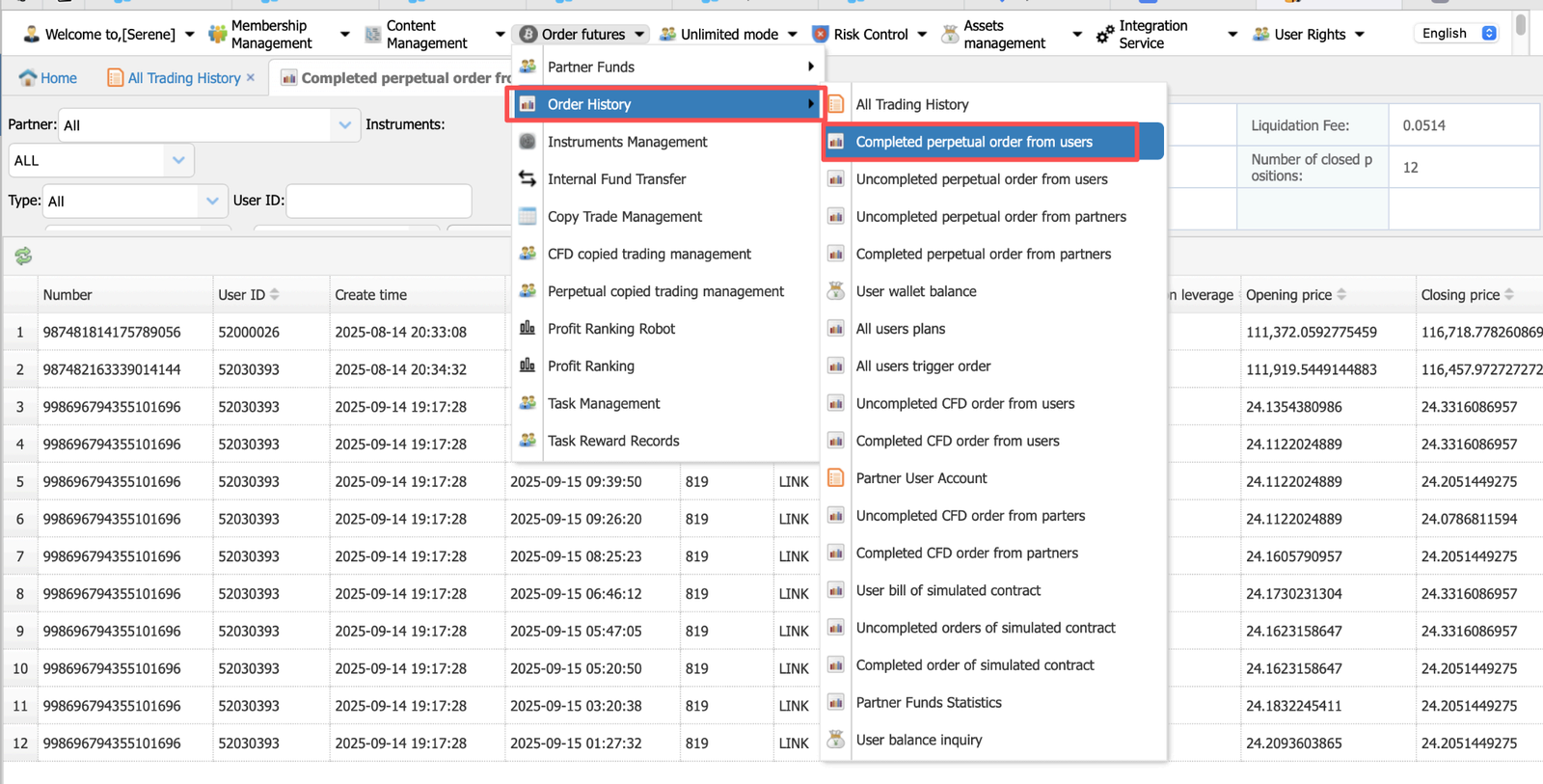 b. Paste the UID and select the time filter.
 *Please add the realized profit and loss and the total fees as the total loss. For example, if the user shows in the traderboss backend has exceeded 250 total losses, these two data added should be more than 250.
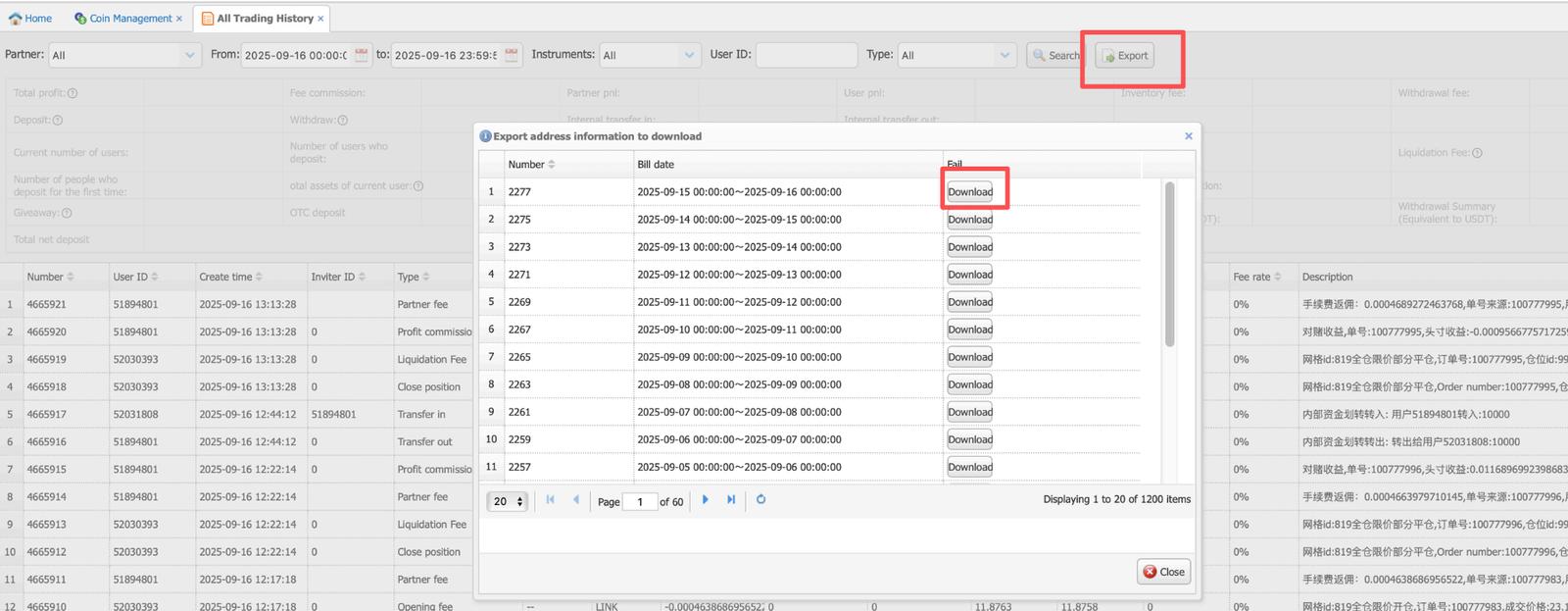
3.1 Export History
- Click on Export to download the trading history record.
3.2 Stop Loss & Take Profit
Go to New Backend Management System > Partner Data Query> Perpetual Futures
Take Profit and Stop Loss.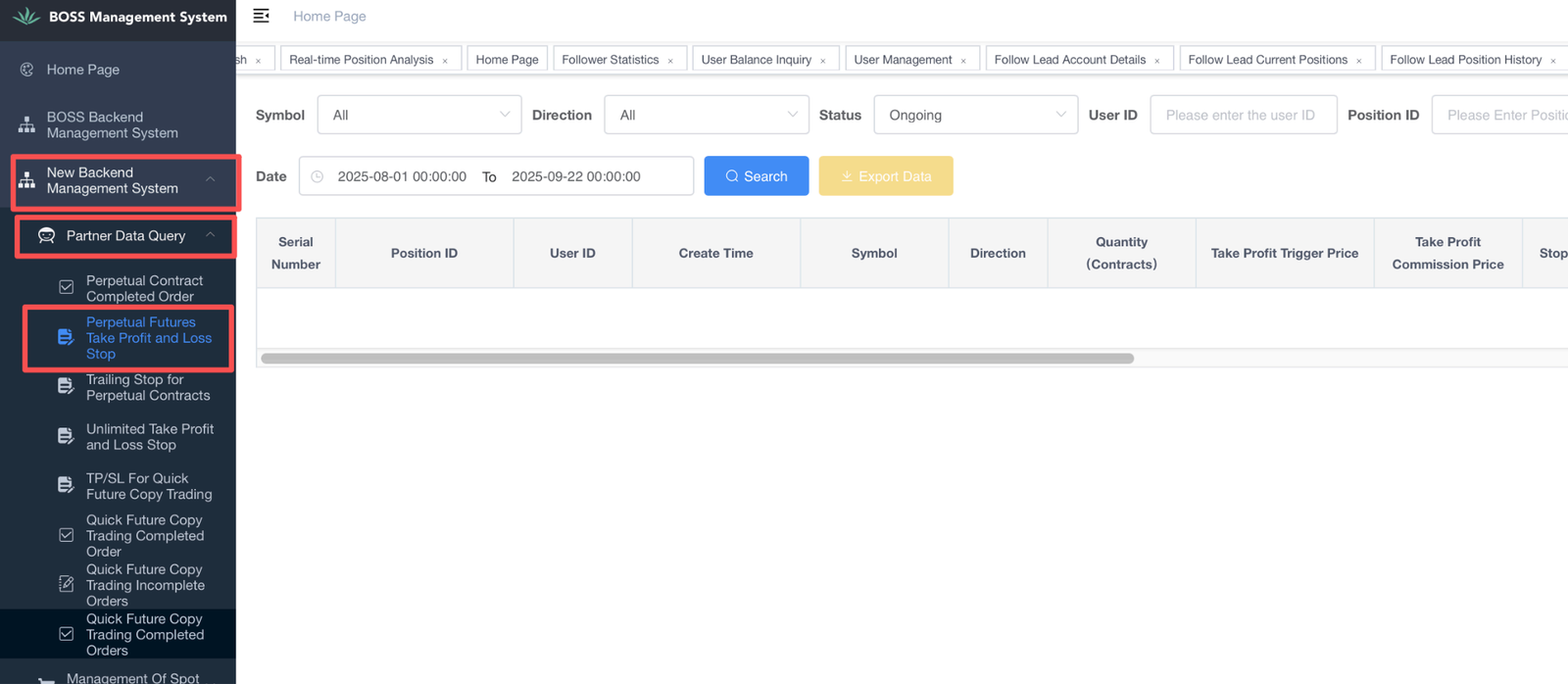
- *Be sure to select the corresponding status; otherwise, the data will not be displayed.
If no data appears for all statuses, it means the user has not configured any settings.

Take Profit / Stop Loss Order Status
When a user sets a stop-profit or stop-loss (TP/SL), a TP/SL order is created.
These orders depend on the position — if the position is closed, the related TP/SL orders are automatically cancelled.
Status Explanation:
- Ongoing: The order is active and waiting to be triggered.
If the position exists and TP/SL is set → status = Ongoing
- Triggered: The trigger price is reached, and the system sends a close order.
It doesn’t always mean the position is fully closed (e.g., limit order not filled).
- Cancelled: The order was cancelled manually or by the system.
User manually cancels or deletes TP/SL
Or the position is closed → system cancels remaining TP/SL automatically
- Expired: The order becomes invalid because the position disappeared.
System automatically cancels TP/SL when the position is gone
Different from “Cancelled” (which is manual)
- Order Failed: The system couldn’t place the close order after trigger.
Example: No available position left when TP/SL triggers → system fails to send close order