

This backend is mainly for checking challenge progress. For detailed trading transactions, please visit the Boss backend.
1. Challenge Settings
*Please first add the product in WordPress then add it here for the stages configuration.
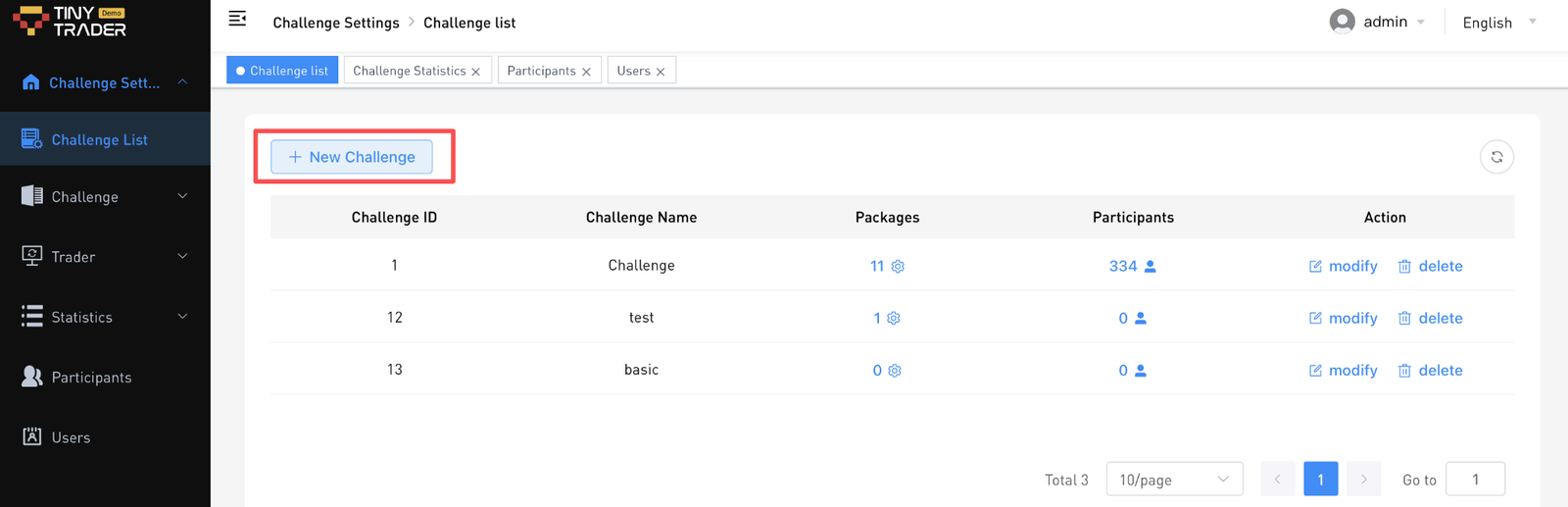
- Challenge Settings> Challenge List> Click on New Challenge.
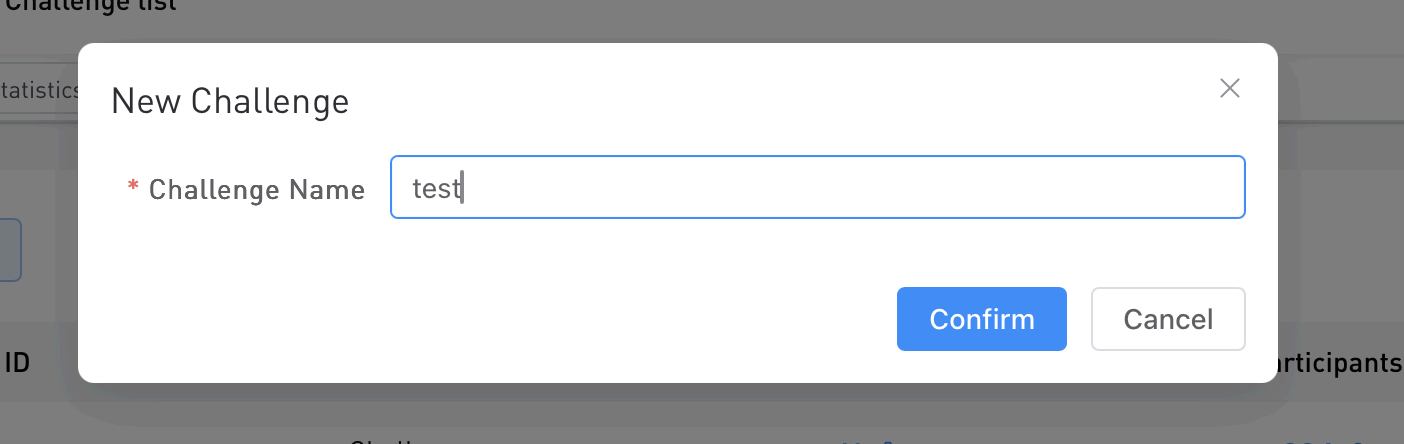
- Write a name and click on Confirm. This category name is just for internal reference purposes.
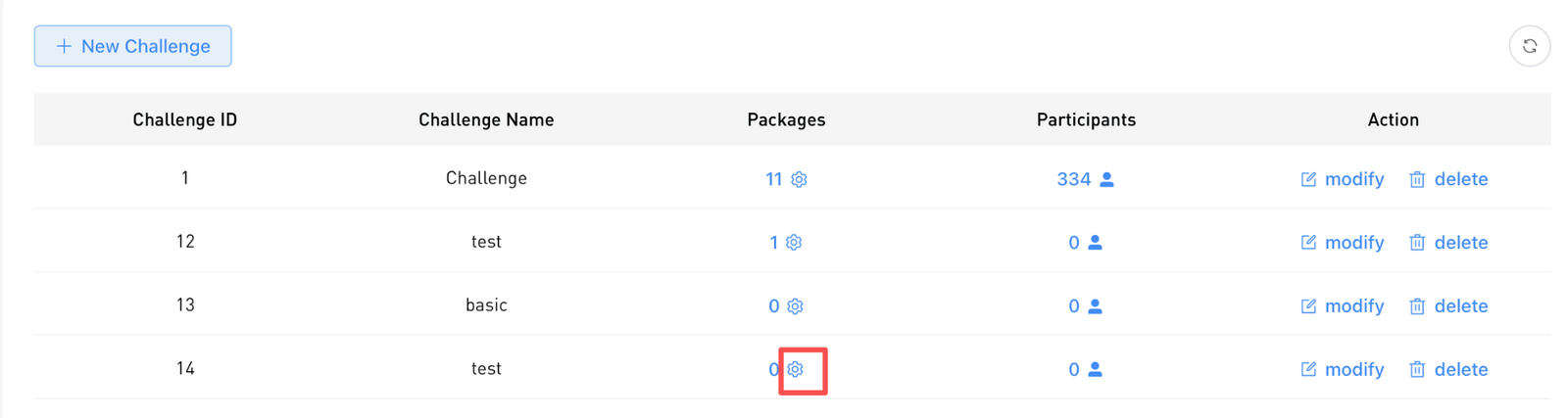
- Click on the settings button here to add a challenge.
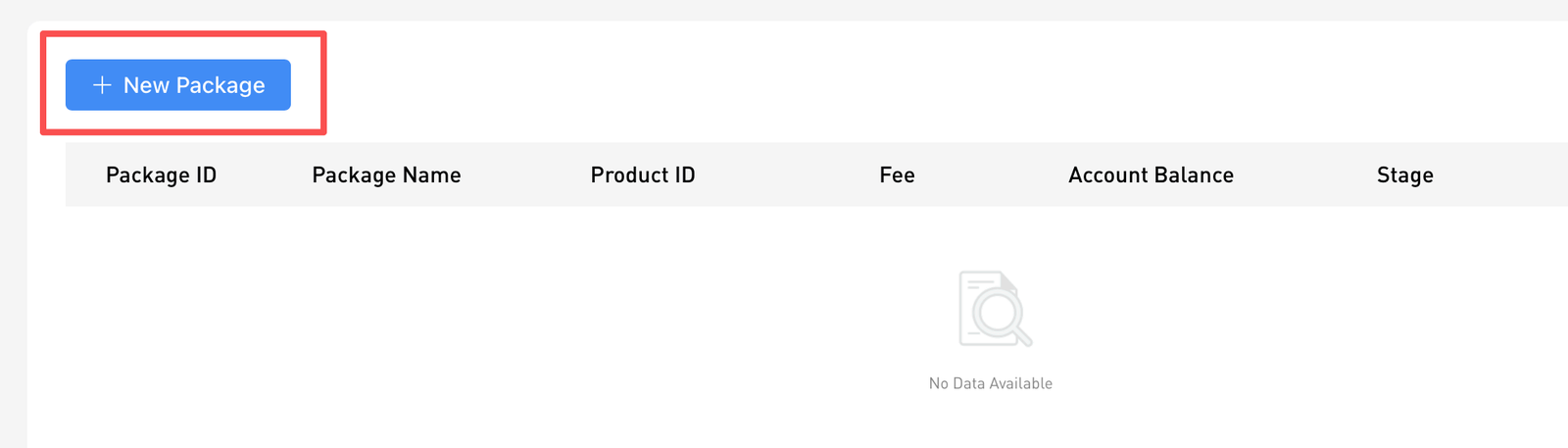
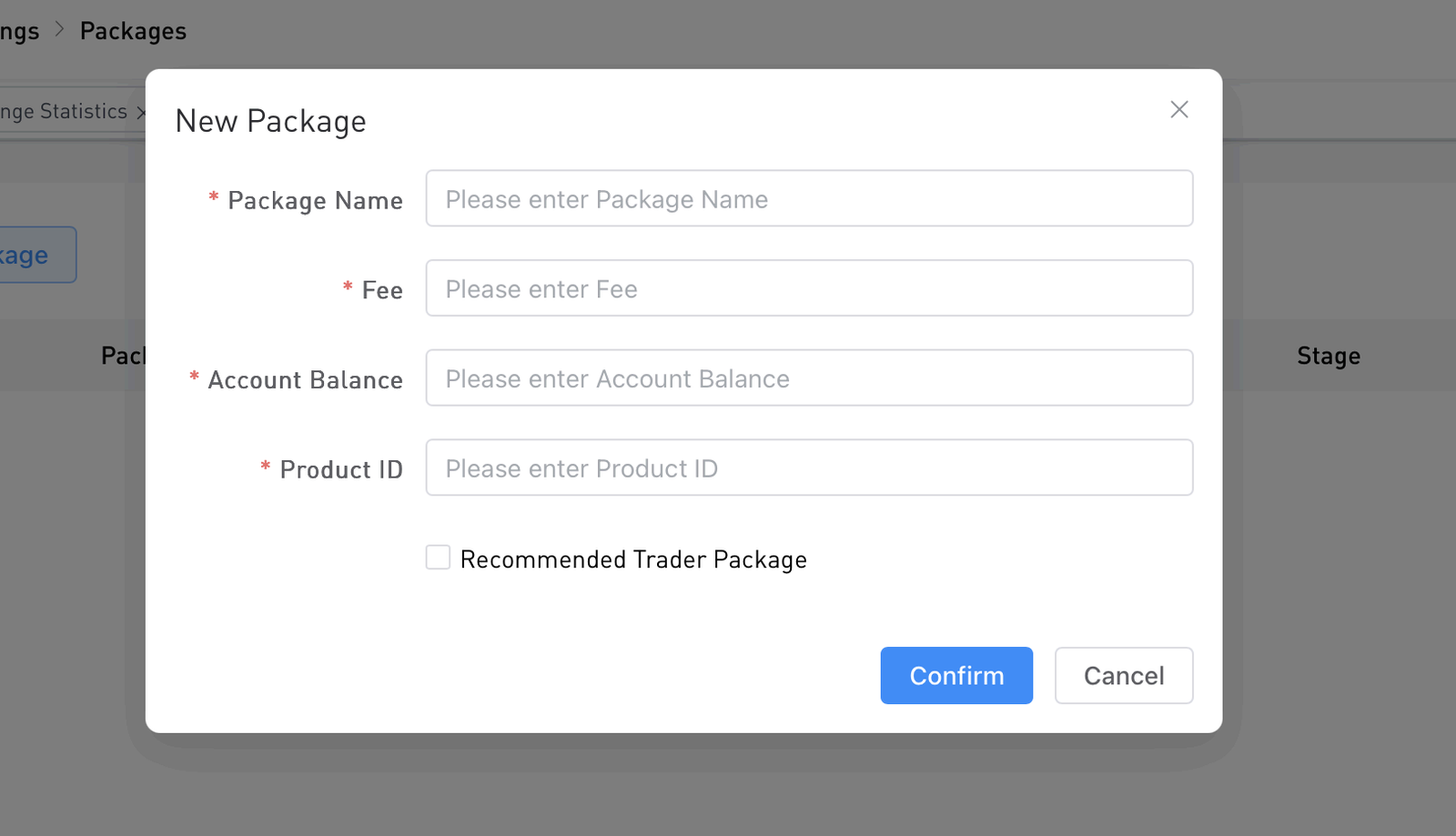
- Click New Package.
- Fill in the challenge details here and click Confirm.
Note:
- Package Name= the package name
- Fee= Challenge Price
- Account Balance = Account Size
- Product ID = WordPress Product ID, you can get it on WordPress.
- Recommended Trader Stage: This applies to the copy to earn features only.
- Once added, click on the Stage settings button to set the stage requirement.

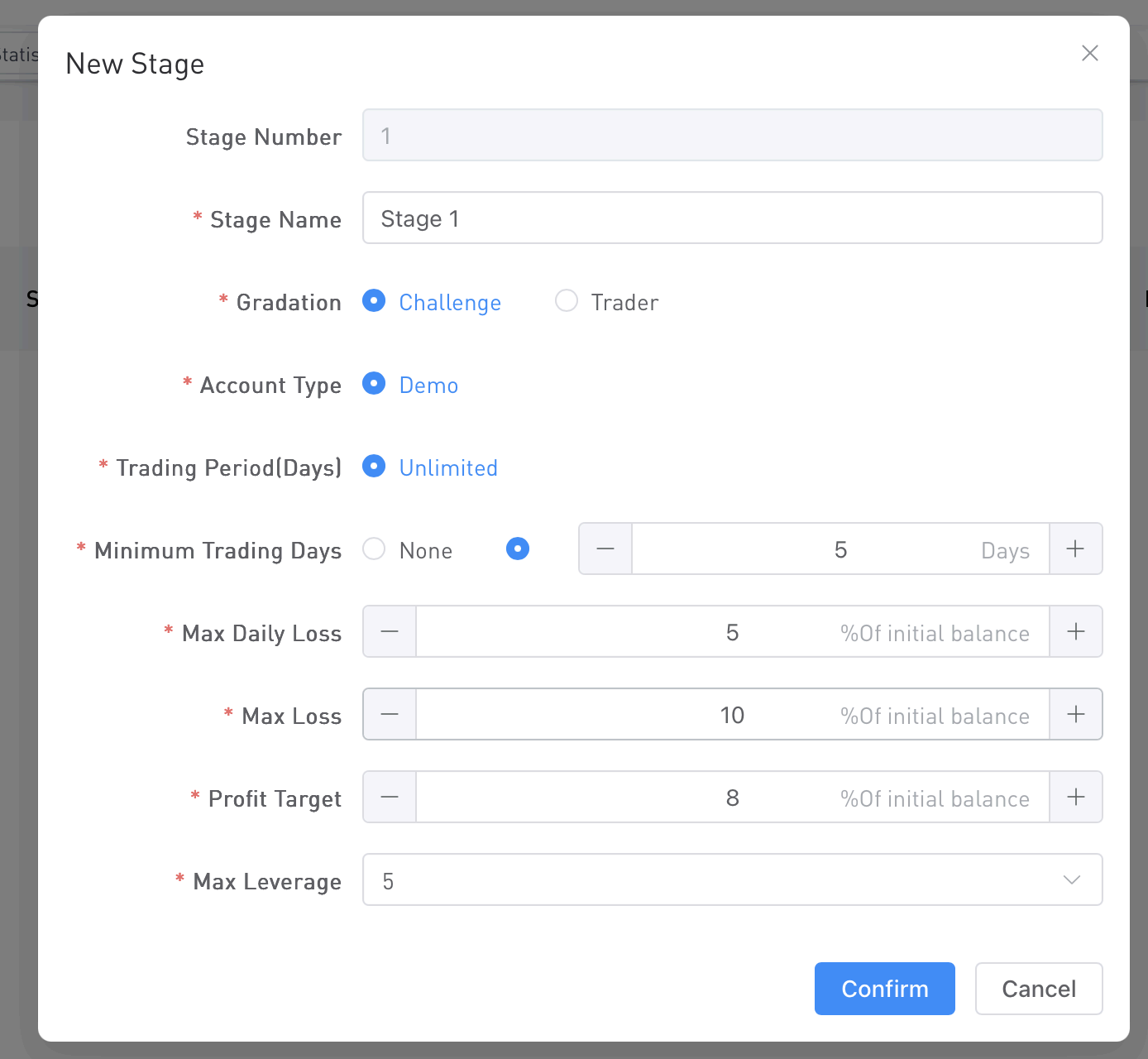
Challenge Stage:
Live Stage:
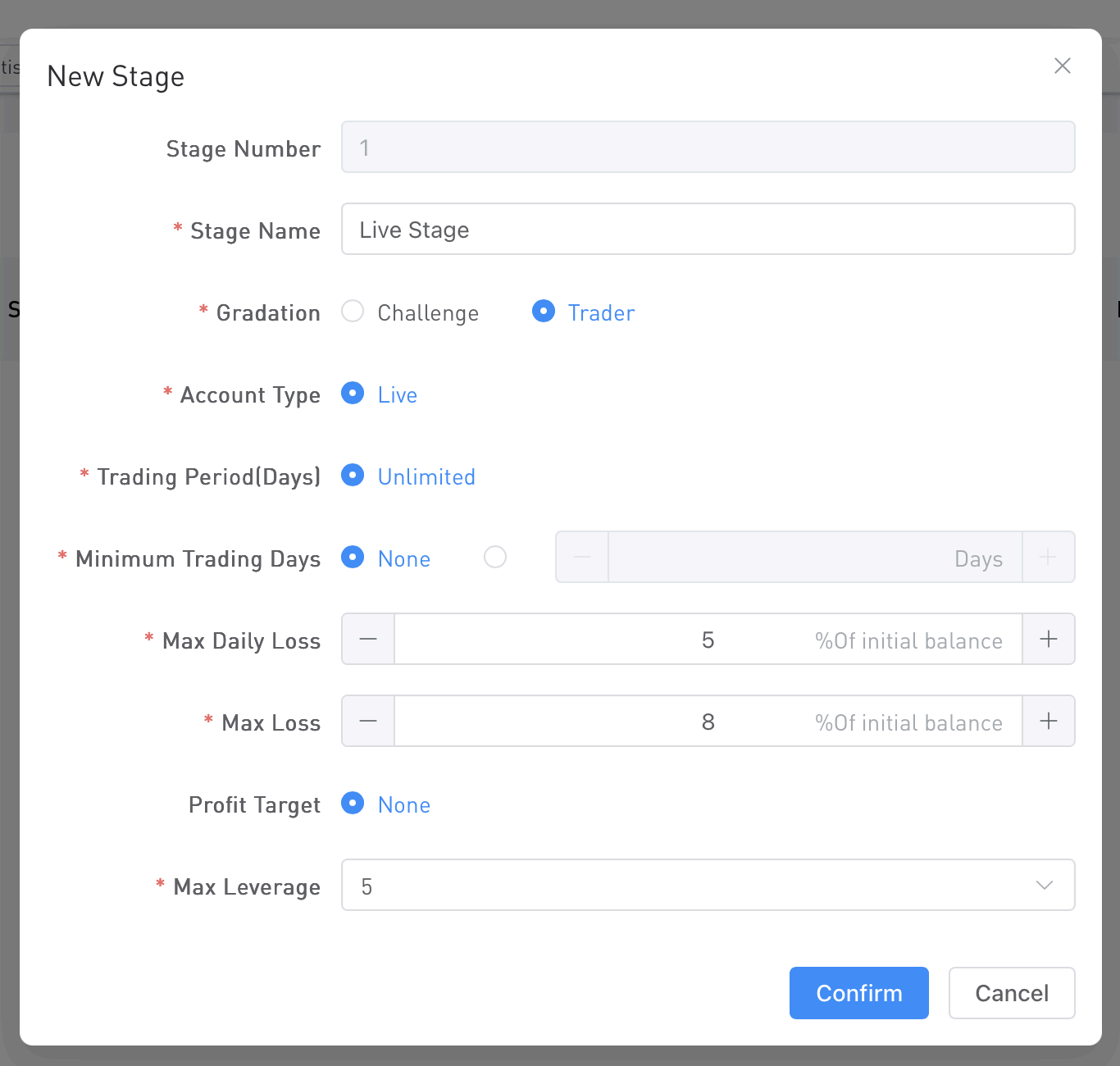
*Set this carefully and according to your business model.
Note:
- 2-step evaluation → 2 challenge stages + 1 live stage
- 1-step evaluation → 1 challenge stage + 1 live stage
- Direct to live → 1 live stage only
For example:
- 2-step challenge

- 1-step challenge


- Direct Live Stage
