

8. Hedging
8.1 Add/ Delete Hedging User
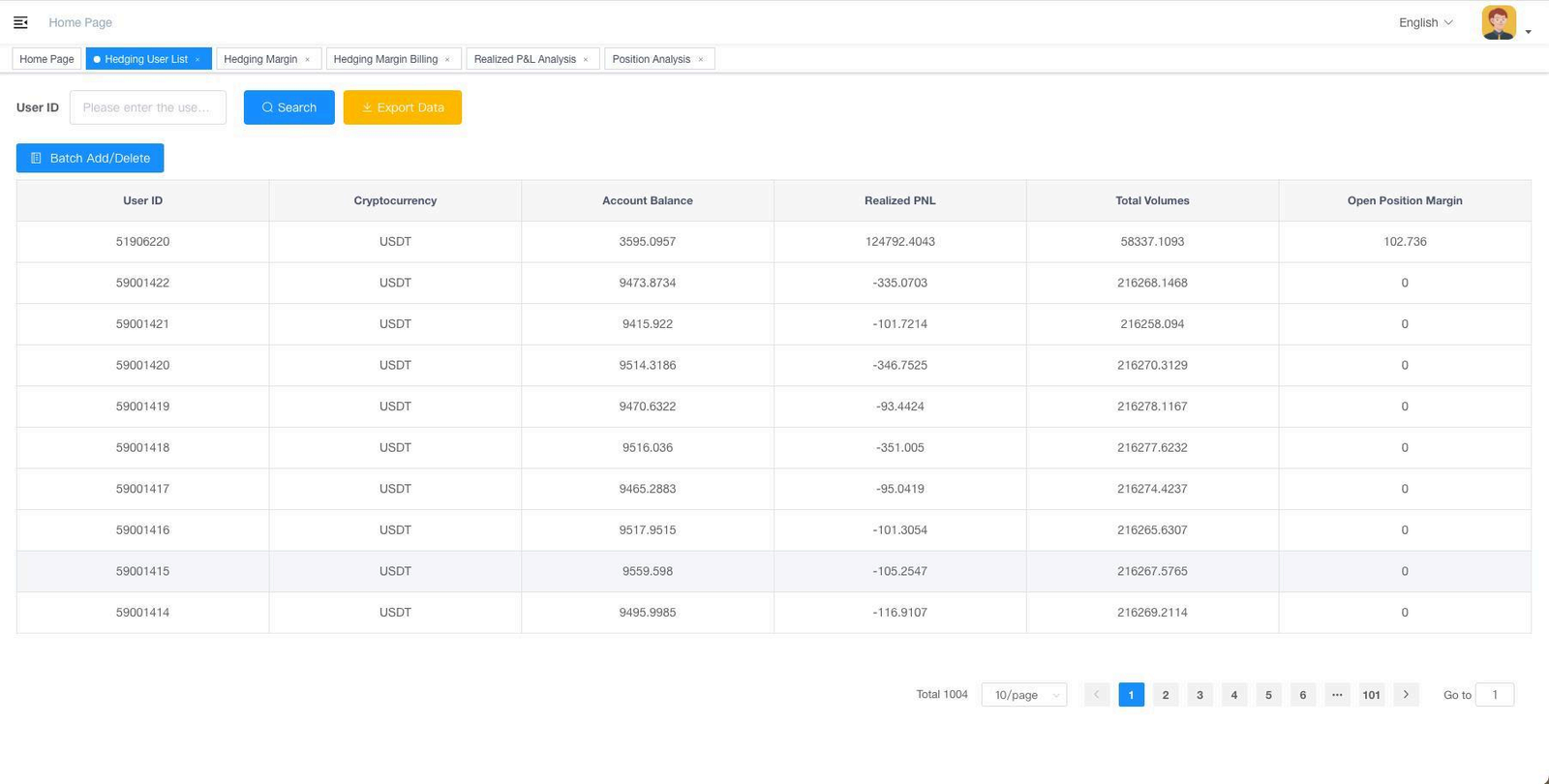
Instructions: Contract Hedging Management > Hedging User List.
The list includes user ID, account balance, profit and loss, and other information. User data can be exported from the list.
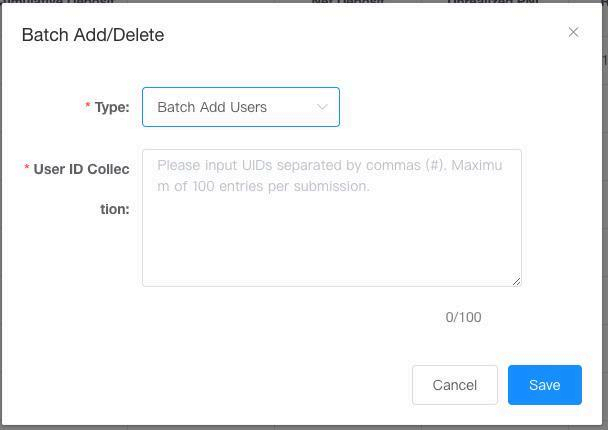
Click “Batch Add/Remove” to open a popup where you can add user account IDs and manage the hedging list.
Notes: For batch add, please separate it by #, for example: 510000#520000
8.2 Hedging Account Details
Description: View details of hedging account funds in the Hedging Margin sections.
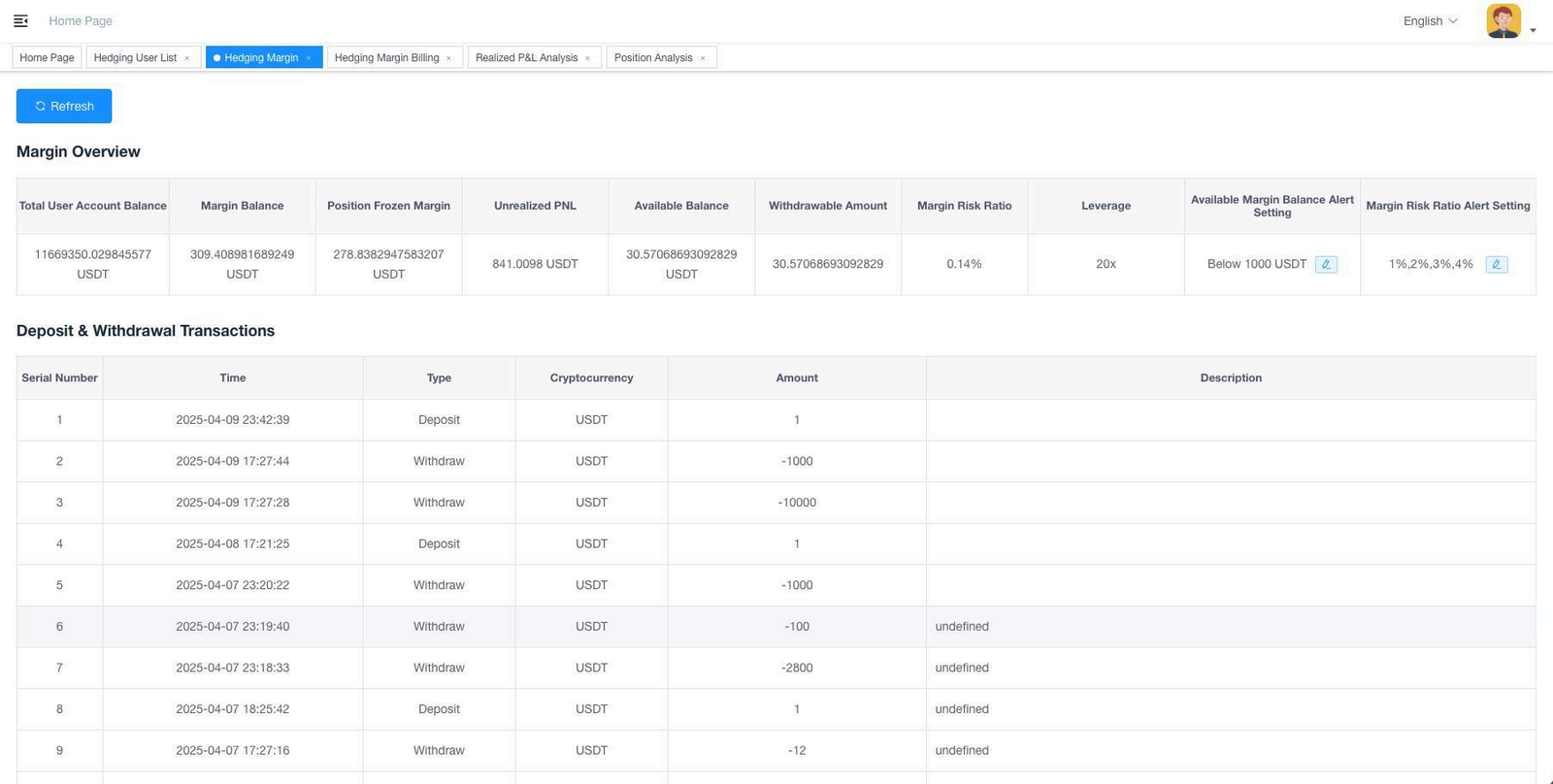
Instructions: Contract Hedging Management > Hedging Margin Overview.
8.2.1 HEDGING MARGIN
Desciption: In the Hedging Margin section, you can view the current balance of the margin account, the overall risk ratio, and margin alert settings.

- Total User Account Balance: The total contract account balance of all hedging users, used to evaluate the adequacy of funds in the margin account.
- Margin Account Details: Includes the current margin balance, position frozen margin, unrealized PnL, and available balance—helpful for understanding the margin account status.
- Withdrawable Amount: The maximum amount that can be withdrawn from the margin account. Note that withdrawing funds increases the risk of the account.
- Margin Risk Ratio: The margin risk ratio of the hedging account. If it reaches 100%, the hedging account will be liquidated.
- Deposit/Withdrawal Records: Fund inflow and outflow history of the margin account.
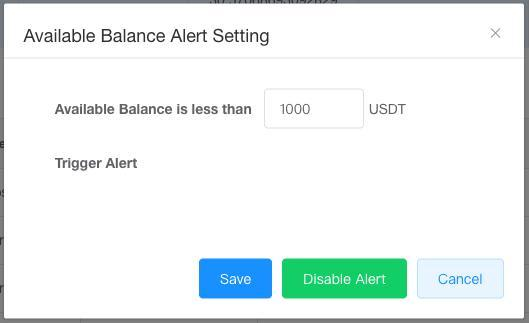
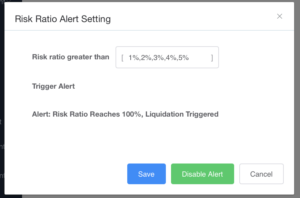
Click “Alert Settings” to configure alerts for available margin balance and margin risk ratio. Alert emails will be sent when thresholds are reached.
8.3 Hedging Performance
Description: Hedging results can be viewed in the Position Analysis sections.
POSITION ANALYSIS
Description: In this section, you can compare the net positions of hedging users with the net positions of the hedging account.

Instructions: Contract Hedging Management > Position Analysis.
As long as the hedging account has sufficient margin, the user’s positions and the hedging account’s net positions will match.