

7. Copy To Earn
7.1 Feature Menu List
| Main Menu | Submenu | Applicable Role | Function Description |
|---|---|---|---|
| Copy Trading Management | User Management | Copy Trader / Leader Trader | View associated users (prop trading & exchange) |
| Copy Trading Management | User Balance Inquiry | Copy Trader / Leader Trader | View real-time balances (funding accounts) |
| Copy Trading Management | Follower Statistics | Copy Trader | Query copy trading data by user level |
| Copy Trading Management | Follow Lead Trade Stats | Copy Trader / Leader Trader | View real-time trading status by account level |
| Copy Trading Management | Follow Lead Account Details | Copy Trader / Leader Trader | View transaction records by copy/strategy trading account |
| Copy Trading Management | Follow Lead Current Positions | Copy Trader / Leader Trader | View current orders by copy/strategy trading account |
| Copy Trading Management | Follow Lead Positions History | Copy Trader / Leader Trader | View historical orders by copy/strategy trading account |
| Copy Trading Management | Leader Trader Level Settings (no frontend page) | Leader Trader | Configure Leader Trader level rules (no frontend page; contact tech for changes) |
| Asset Management (Legacy BOSS) | Transfer Records | Copy Trader / Leader Trader | View fund transaction records (funding account) |
7.2 Permission Management
Description: To enable the copy to earn permission for the operator.
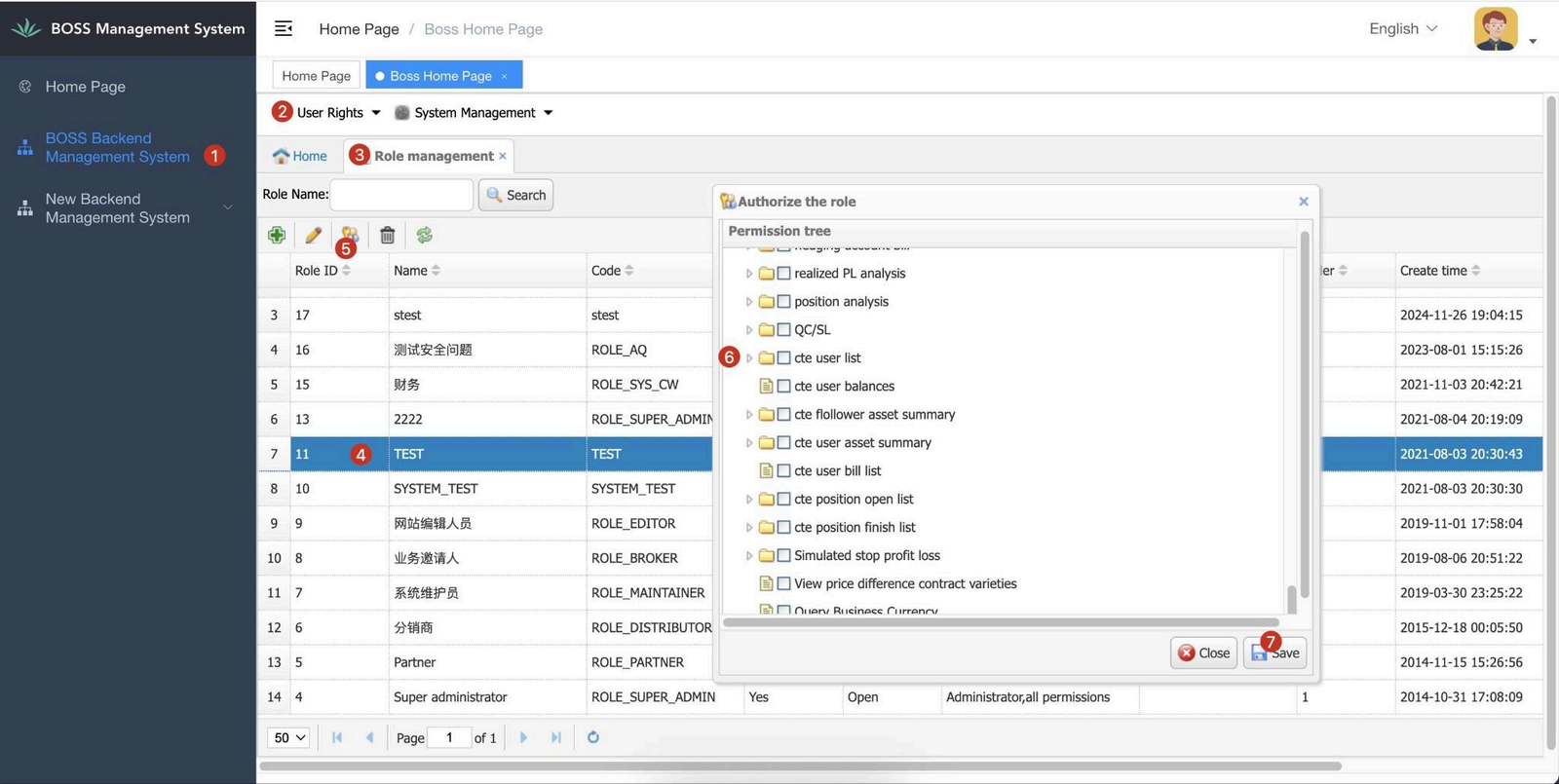
*Please ensure the permission of all the copy to earn relevant pages has been enable.
7.3 User Management
Description: To view all associated users (copy trader & lead trader).
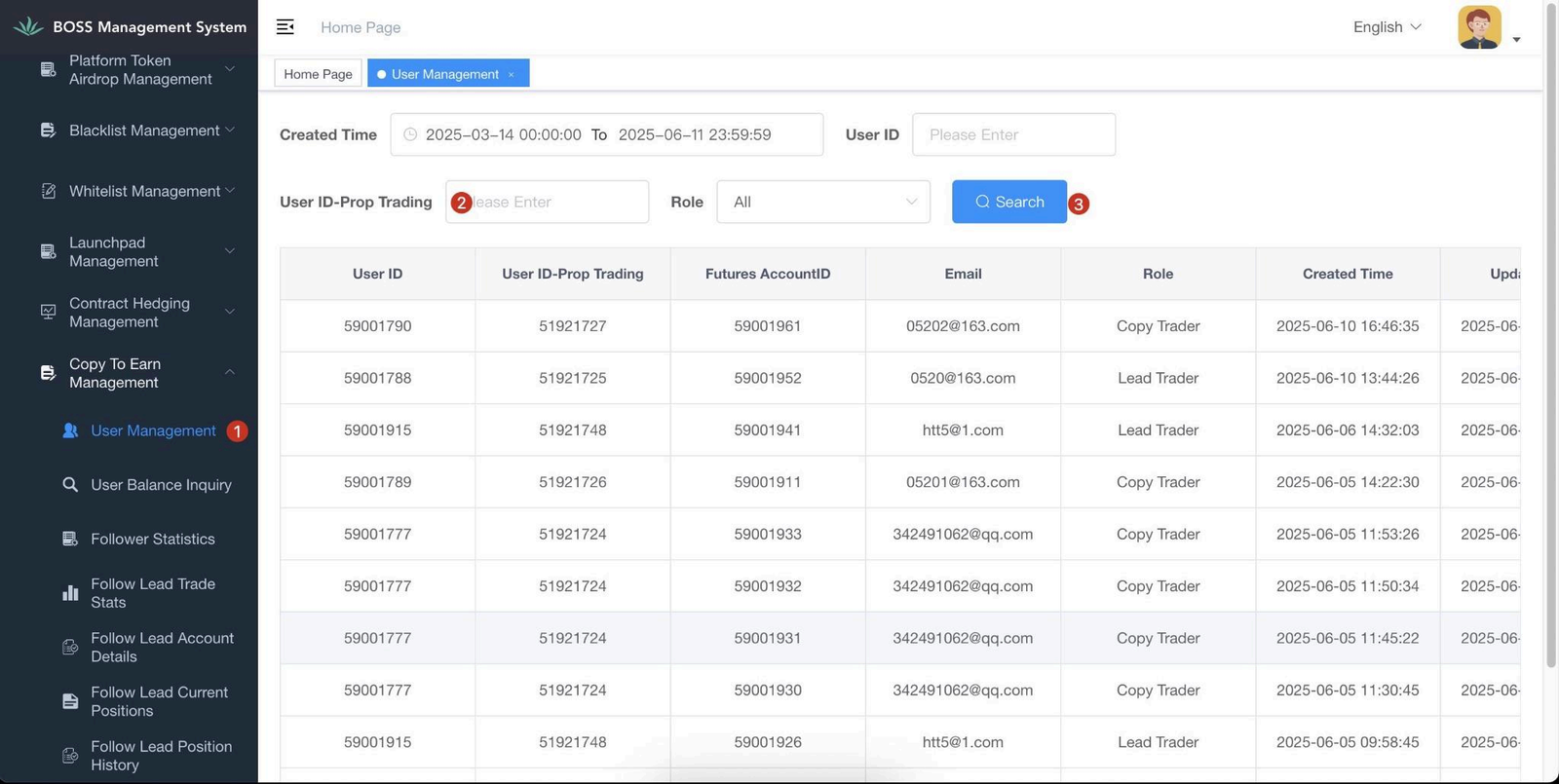
Instructions: New BOSS backend → User Management.
Notes: User ID – Same as Boss User ID, used as the key field across menus.
In Phase II, User ID = Account ID; in Phase III, Account ID will be added separately.
7.4 User Balance Inquiry
Description: To check user’s wallet balance for copy to earn.
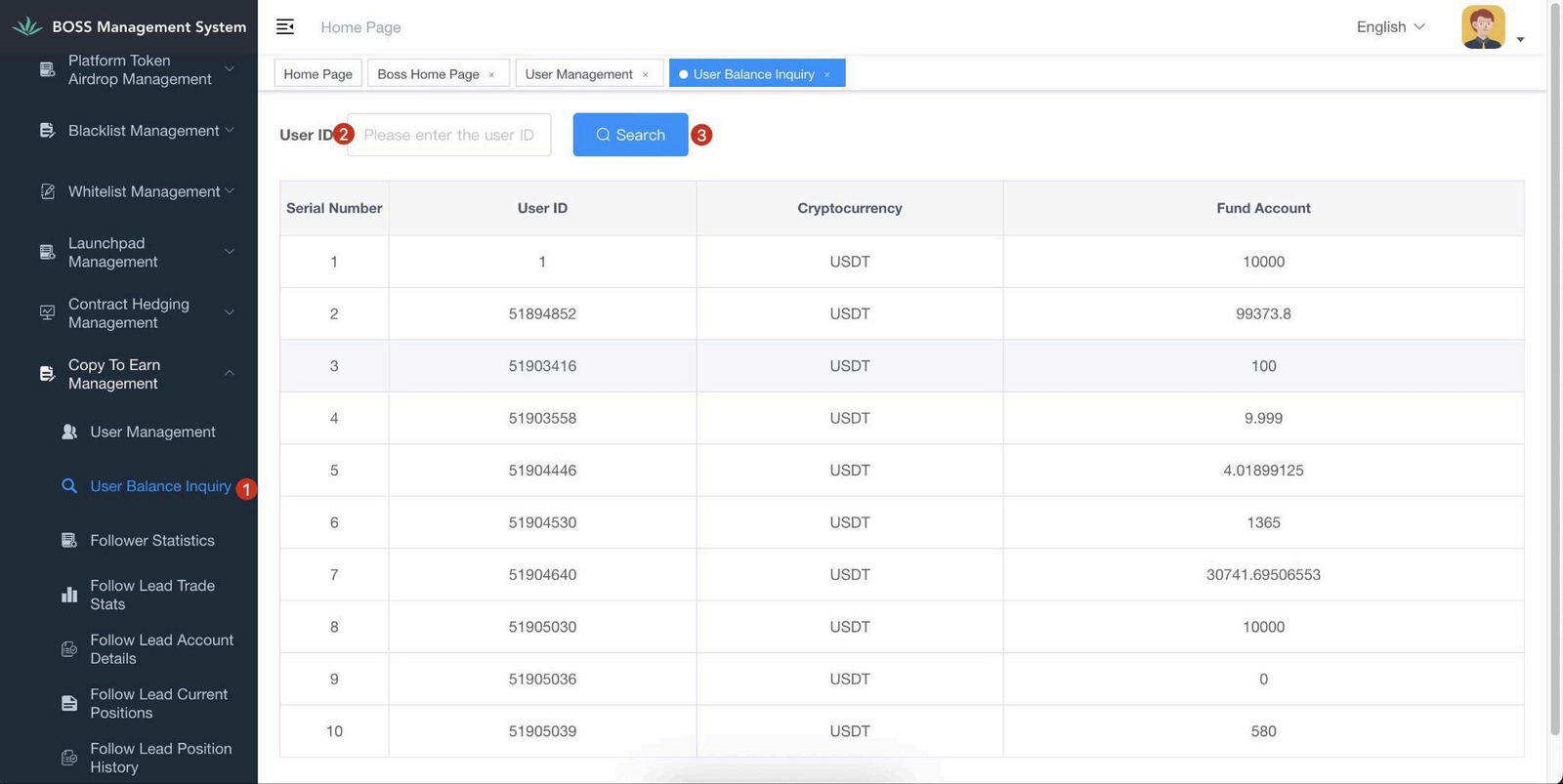
Instructions: New BOSS backend → User Balance Inquiry .
Notes: User ID is the key field for querying.
7.5 Transfer Records
Description: To check user’s transfer record such as copy deposit, transfer and withdrawal.
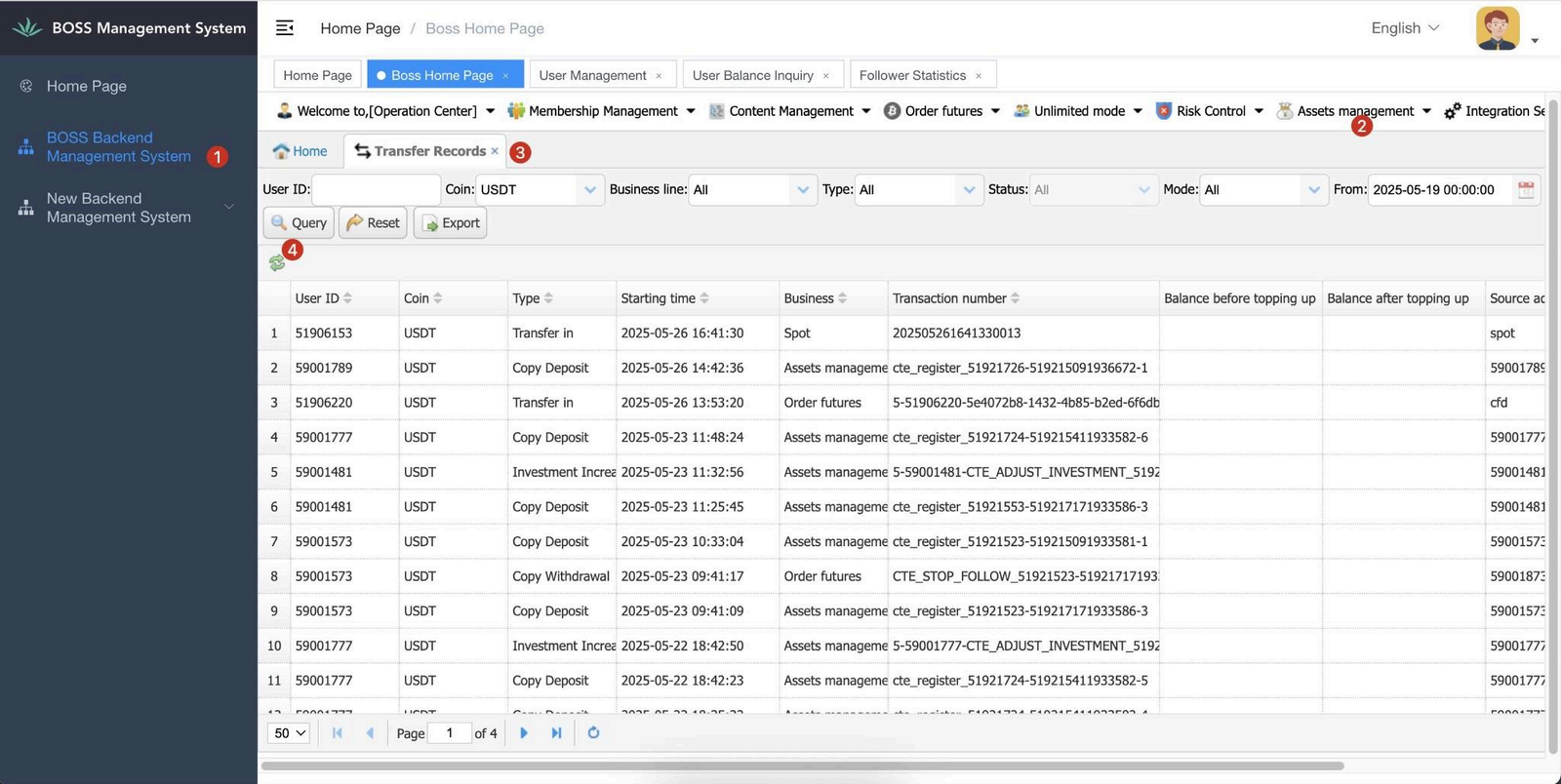
Instructions: BOSS backend → Assets Management → Transfer Records .
Notes: This is the only menu under the legacy BOSS for copy trading, used to query fund transaction records.
7.6 Follower Statistics
Description: To check the copy trader’s data only.
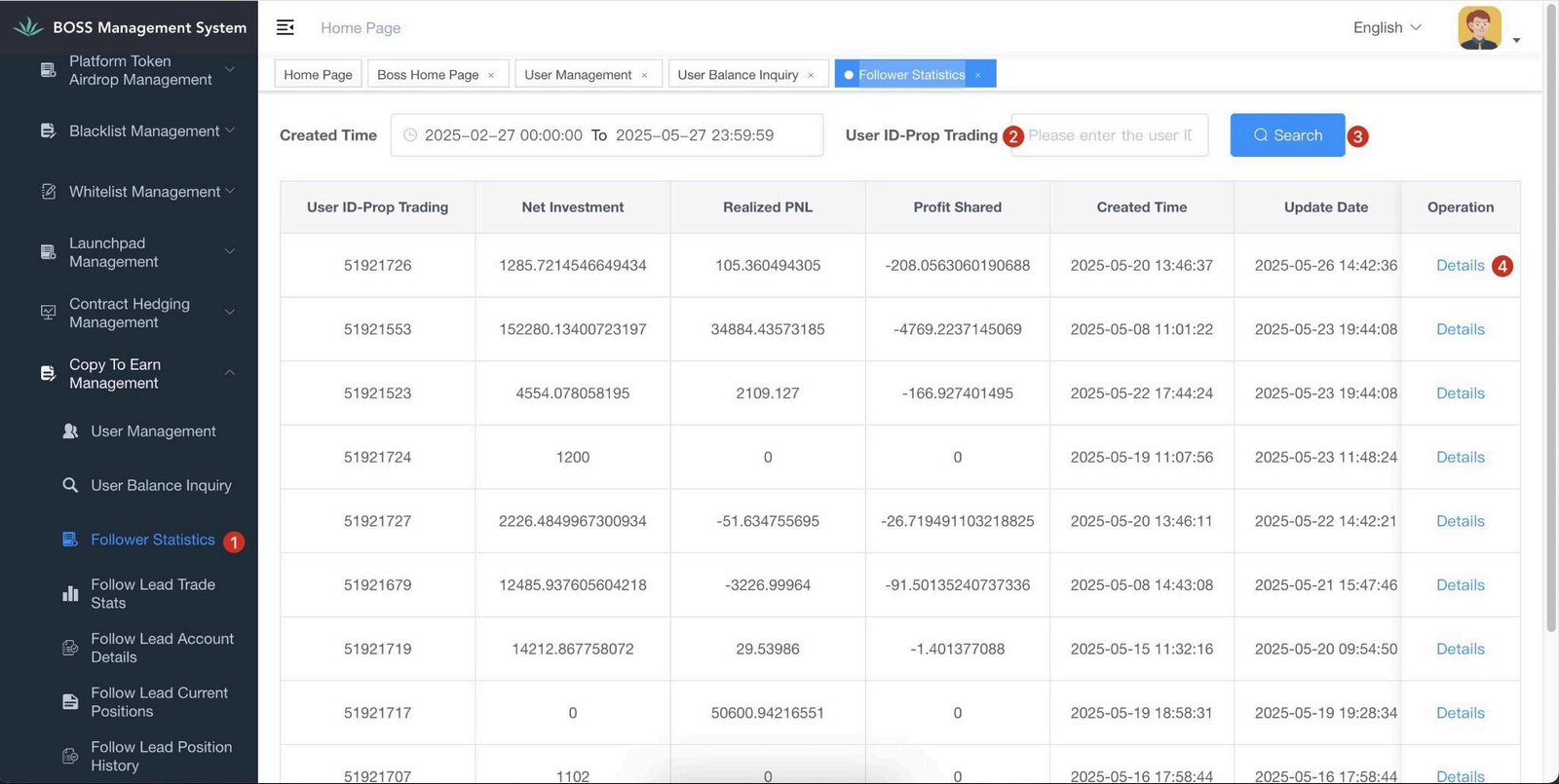
Instructions: New BOSS backend → Follower Statistics.
Notes: If a user has multiple copy trades, this menu shows a summary view. Click
Details to jump to another menu and view multiple copy trade details.
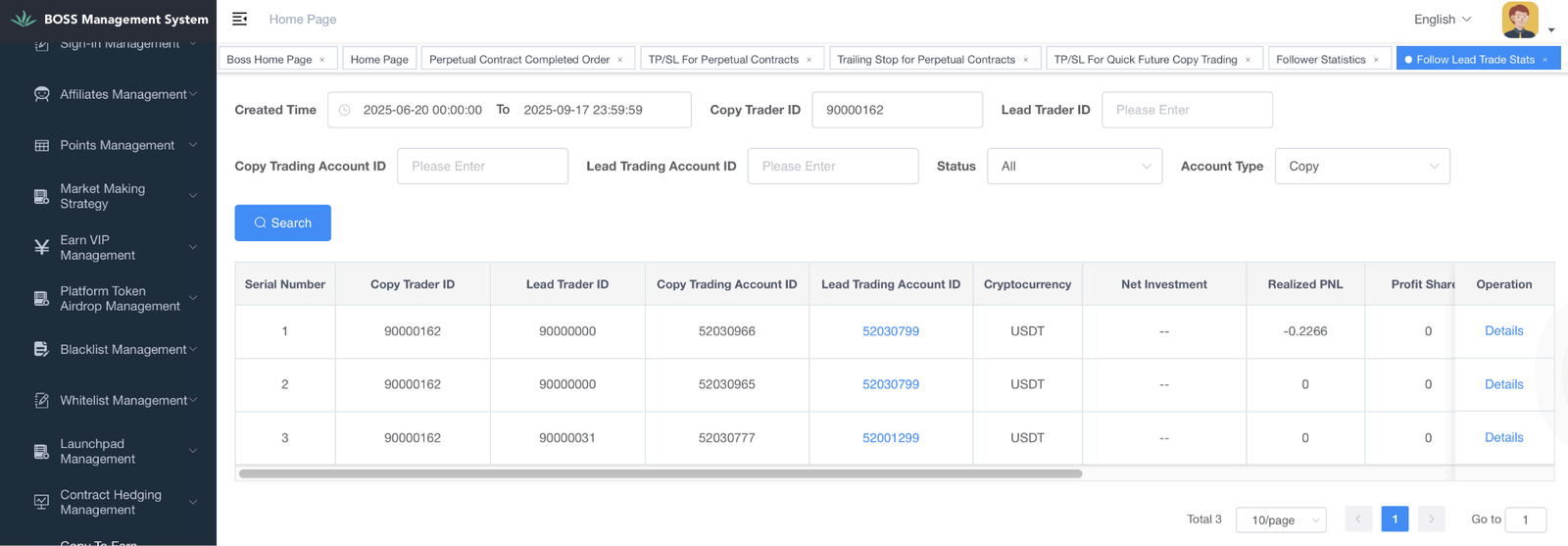
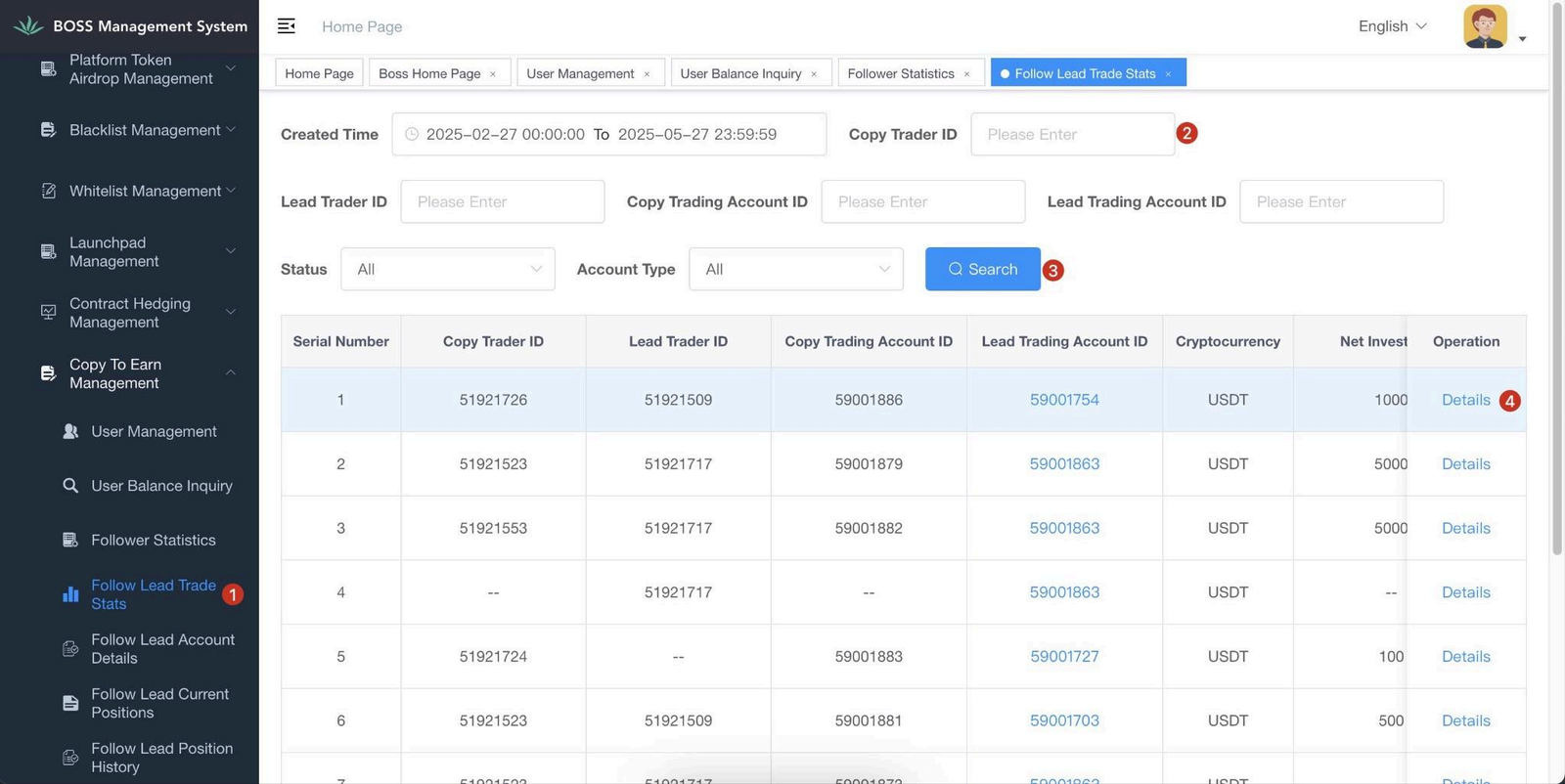
7.7 Copy Trader Trade Stats
Description: View real-time trading status by account level.
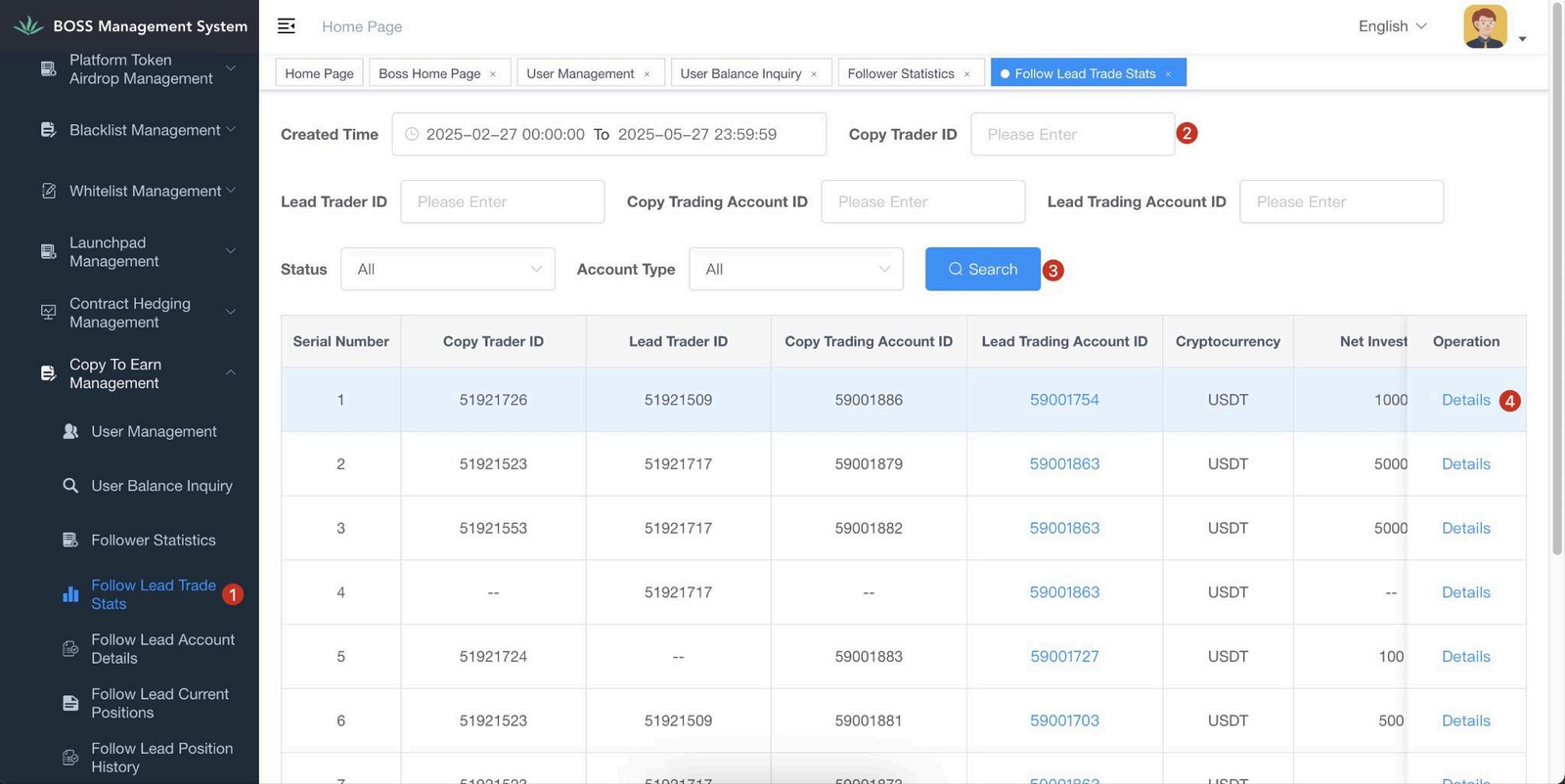
Instructions: New BOSS backend → Follow Lead Trade Stats.
Notes: Copy Trader ID and Lead Trader ID both refer to User ID – Prop Trading. Click
Details to jump to the bill details menu.
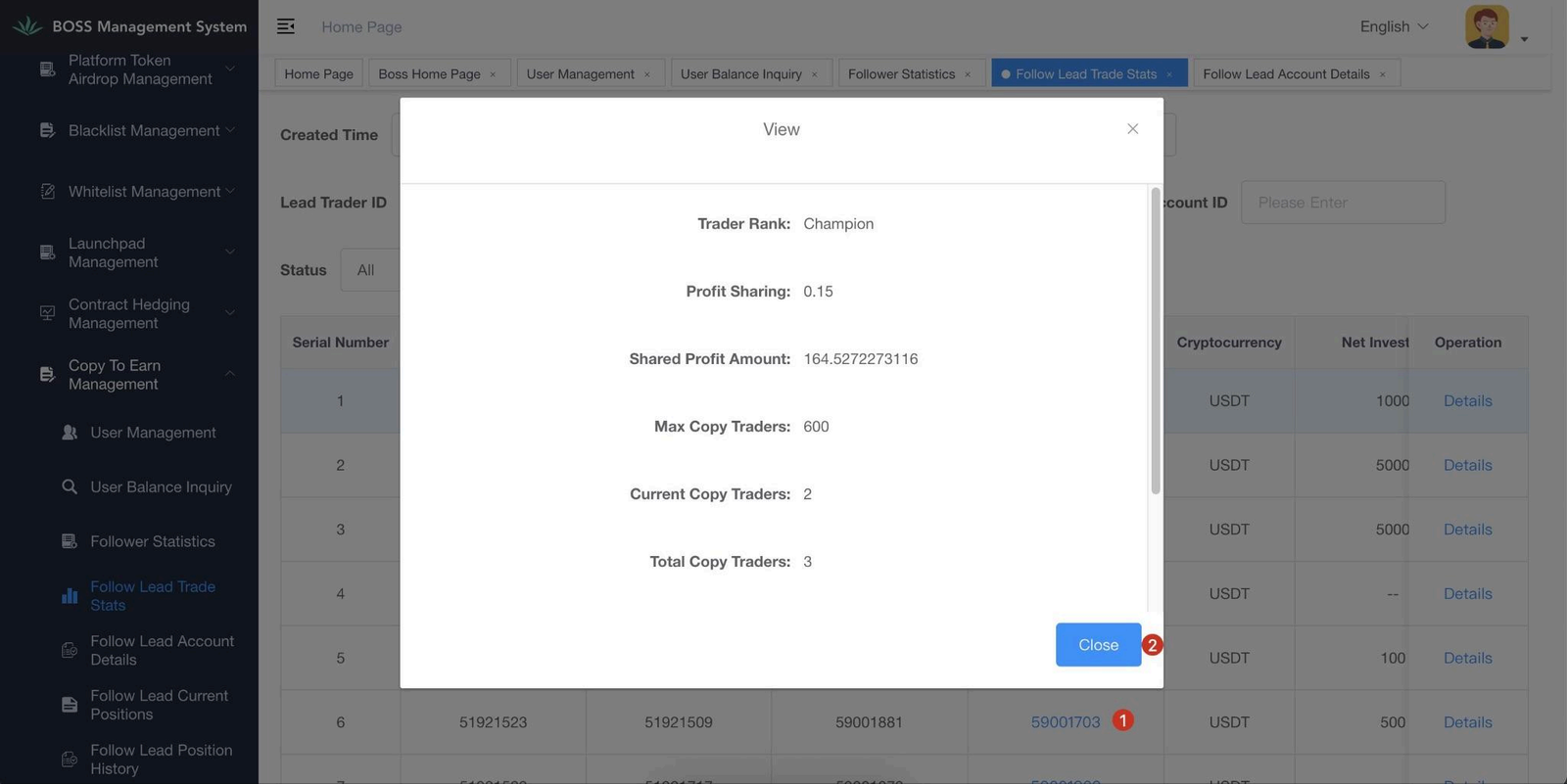
7.8 Copy Trader Account Details
Description: View transaction records by copy trading account
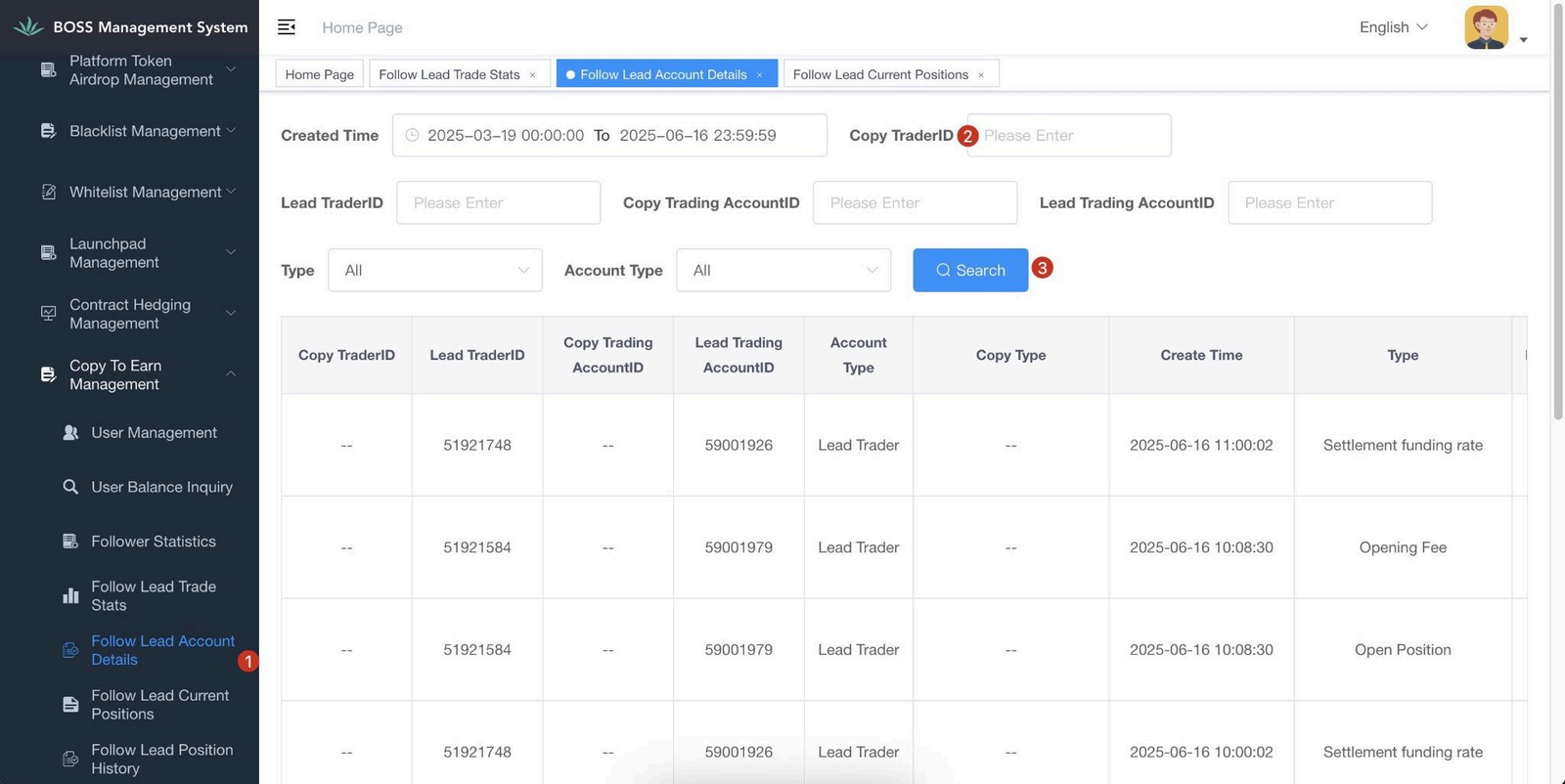
Instructions: New BOSS backend → Follow Lead Account Details.
Notes:Copy Trader ID and Copy Trader ID both refer to User ID – Prop Trading.
7.9 Copy Trader Current Positions
Description: View current/ongoing orders by copy trading account
Instructions: New BOSS backend → Follow Lead Current Positions.
Notes: Copy Trader ID and Copy Trader ID both refer to User ID – Prop Trading. Click
Details to jump to the bill details menu.
7.9.1 Copy Trader Positions History
Description: View historical orders by copy trading account
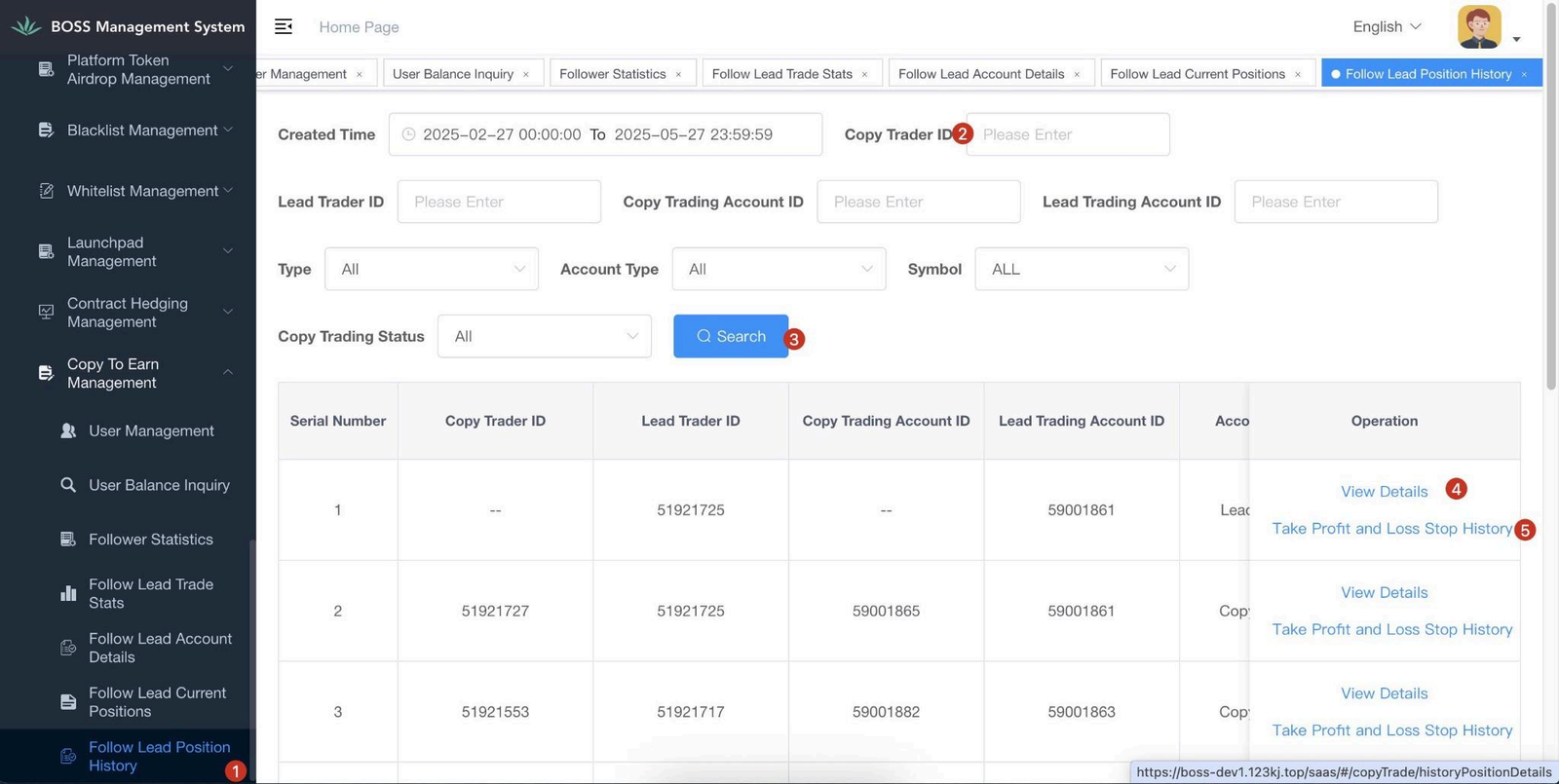
Instructions: New BOSS backend → Follow Lead Positions History