
5. Trading Pairs
5.1 Configure Trading Pairs Limitation
- Click on Order Futures> Instrument Management.
- Select the trading pairs to edit.
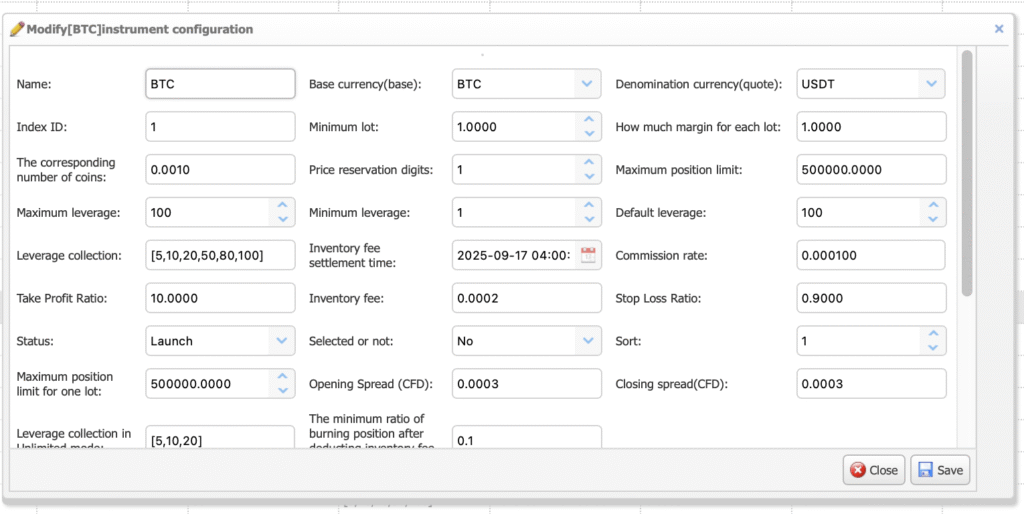
You can set all the trading pairs settings here, such as maximum position limit, maximum position limit for one lot and etc.
5.2 Delist the Trading Pairs
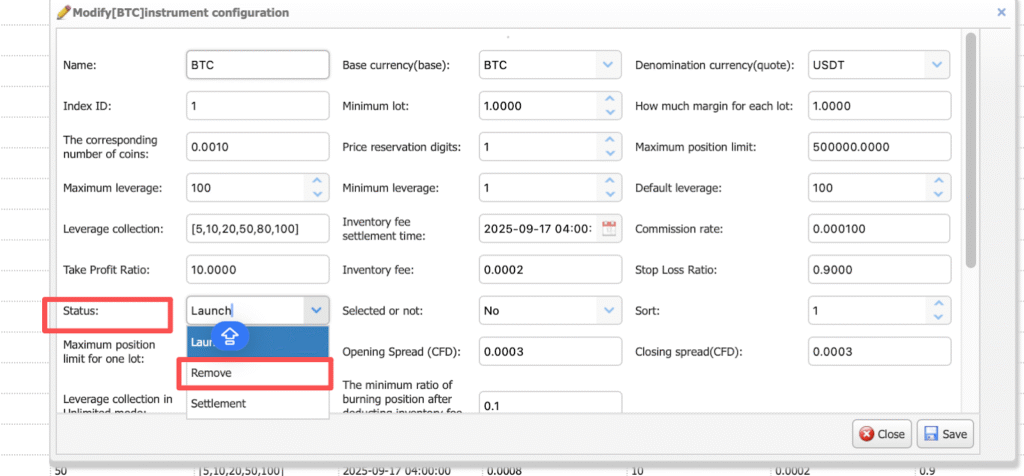
- Select Status > Remove.
6. Operator Users
6.1 Role Management
- Click on User Rights > Role Management > + button.
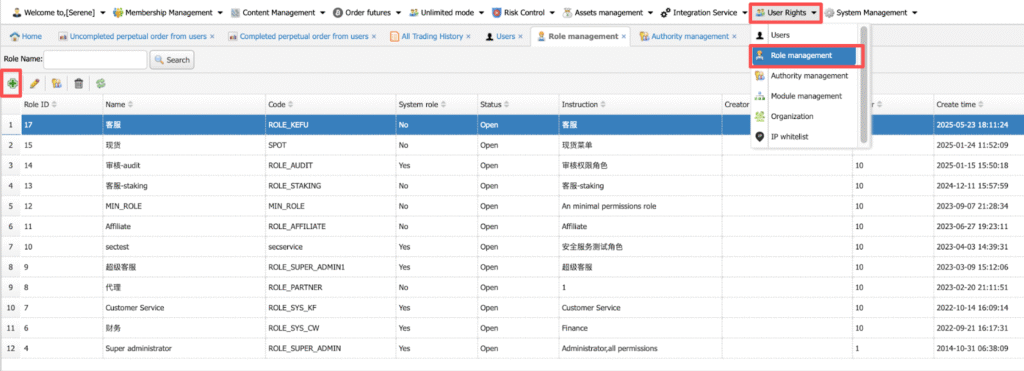
Fill in the role details and click Save. Role name and code are for internal references. You can set role access, for example, like finance, operations, and customer service.